
A slip, an exaggerated turn, or an unanswered question can become funnier with a short sound. Timing matters: a collision effect arriving after the character has already fallen can feel disconnected, while a long reaction clip can overwhelm an ordinary pickup.
Before choosing a popular name, decide what the sound should emphasize. Do you need a brief accent during an action, or a reaction after the result becomes clear? Those jobs call for different timing, length, and repetition.
This collection focuses on short audio entries from the Cartoon SFX category. Use the IDs below as starting points for previewing and comparing sounds in your own scene. Titles and catalog lengths help narrow the search; the actual audio determines whether a resource fits.
AI-generated editorial illustration, not a game or Studio screenshot.
Match the sound to the event first
Game event | What the sound should communicate | What to compare | Common mismatch |
|---|---|---|---|
A small item appears | Something has popped into view | Clear onset and a suitable ending | A long tail overlaps the next action |
A character falls or hits a wall | The action has reached its result | Contact timing and perceived weight | A minor bump sounds like serious damage |
An NPC finishes a bad joke | A reaction to the line | Space after dialogue | The effect reveals the joke too early |
An exaggerated turn or gesture | A quick movement | Pace and alignment with the animation | Repetition turns the accent into constant noise |
A reward reveal has an unexpected result | A difference between expectation and outcome | The rhythm before and after the reveal | The sound suggests a reward the player did not receive |
If the effect is difficult to describe, write down the visual first: “The character makes a confident leap and clears only one floor tile.” That gives you a better search direction than funny alone. You might need a collision, a slide, a pause reaction, or a short musical ending.
Reaction sound IDs to preview
Open each entry to hear the content before assigning it to a scene. The lengths below are catalog values, not a description of every moment inside the clip.
Resource | Audio ID | Listed length | What to listen for |
|---|---|---|---|
Pop Airy 40 (SFX) | 1 second | Whether the onset and tail suit a small appearance or brief reaction | |
Any Answers? (D) | 5 seconds | Whether its actual content fits a pause or question without covering dialogue | |
just a scratch | 5 seconds | The actual voice or sound content, its source, and whether it fits a minor mishap |
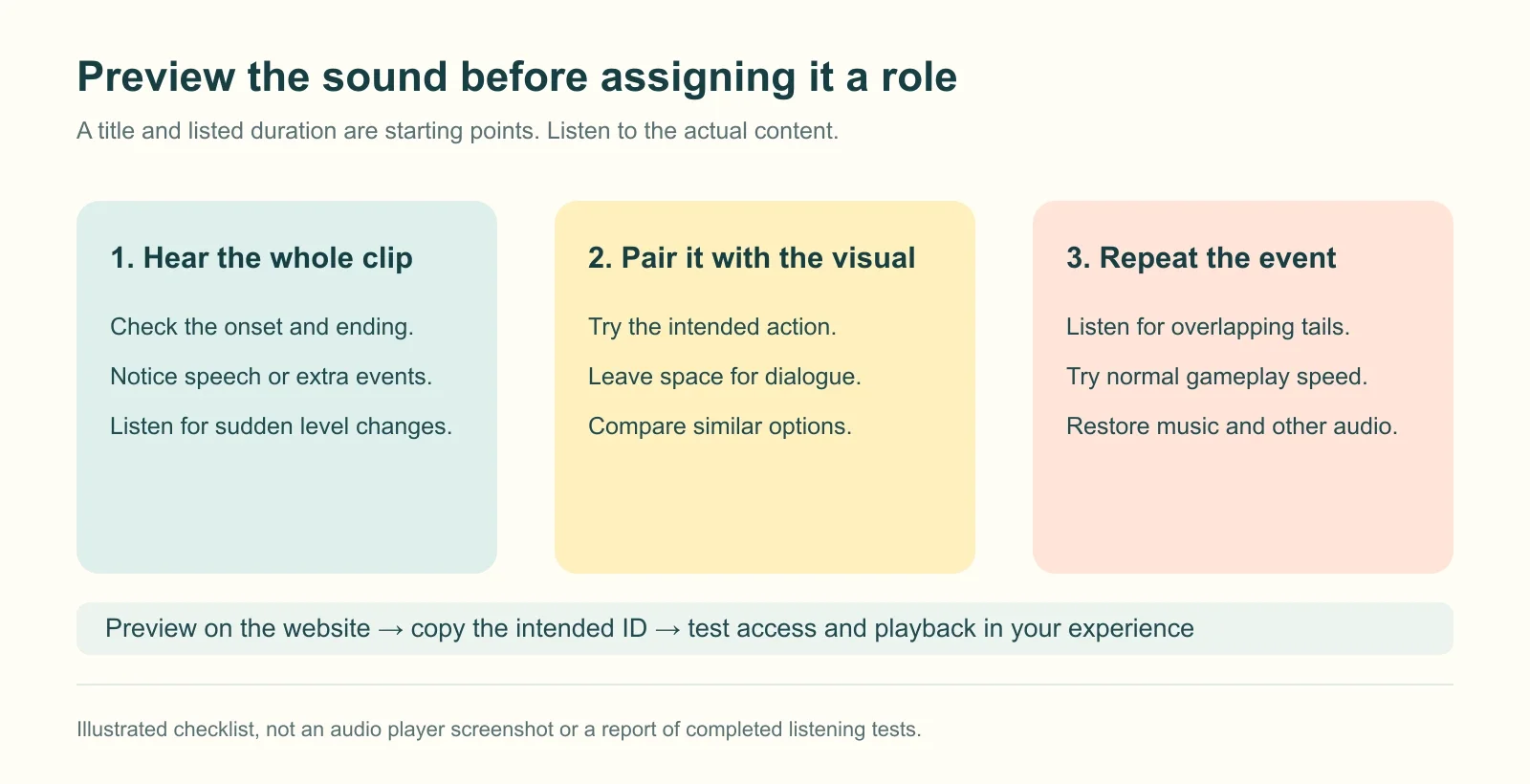
An audition checklist. It illustrates what to check, not completed listening tests of the listed resources.
Try the sound before, during, and after the visual event. For a fast action, a five-second clip may leave too much audio hanging over what happens next. Compare shorter resources before changing playback speed or selecting a portion of a longer clip.
Small appearances and quick reactions
A prop emerging from a box, an expression appearing above a character, or a pet peeking into view can use a brief accent. Listen for the gap between pressing Play and hearing the main sound: even a short file may have an onset that is too slow for immediate feedback.
Start with one playback when the object appears. If the visual already communicates the action clearly, try leaving it silent and saving audio for a more unusual variation.
Awkward pauses and reactions after a mistake
An NPC asks a question and gets no answer. A player performs an elaborate action and receives an ordinary item. In scenes like these, try placing the reaction after the result is visible, giving players time to understand it first.
A reaction can last longer than an impact accent, but it still needs to leave room for the next line or action. Compare a response immediately after dialogue with one after a small pause. Listen to the whole exchange, not just the isolated clip.
Cartoon action sound IDs to preview
Resource | Audio ID | Listed length | What to listen for |
|---|---|---|---|
Whip Cracks 7 (SFX) | 2 seconds | Whether the intensity and timing suit the movement you want to emphasize | |
Baseball Wood Bat Rap Dirt With Head End Of (SFX) | 1 second | Whether the impact matches the material and weight of the action | |
Cloth Whooshes Fast Whooshes Rumbling Pass B (SFX) | 4 seconds | Whether the movement and tail fit the animation without dragging into the next event |
Align movement and contact separately
A turn, a swinging prop, and a slide into view do not necessarily need the same trigger point. A movement sound can follow the motion, while a collision sound usually needs to align with contact.
If a clip ends with an obvious impact, check where that impact lands in the animation. Starting the file at the beginning of every action can place its strongest moment at the wrong point.
Inspect the animation slowly to locate the frame you want to emphasize, then return to normal speed. The final choice should work during ordinary play.
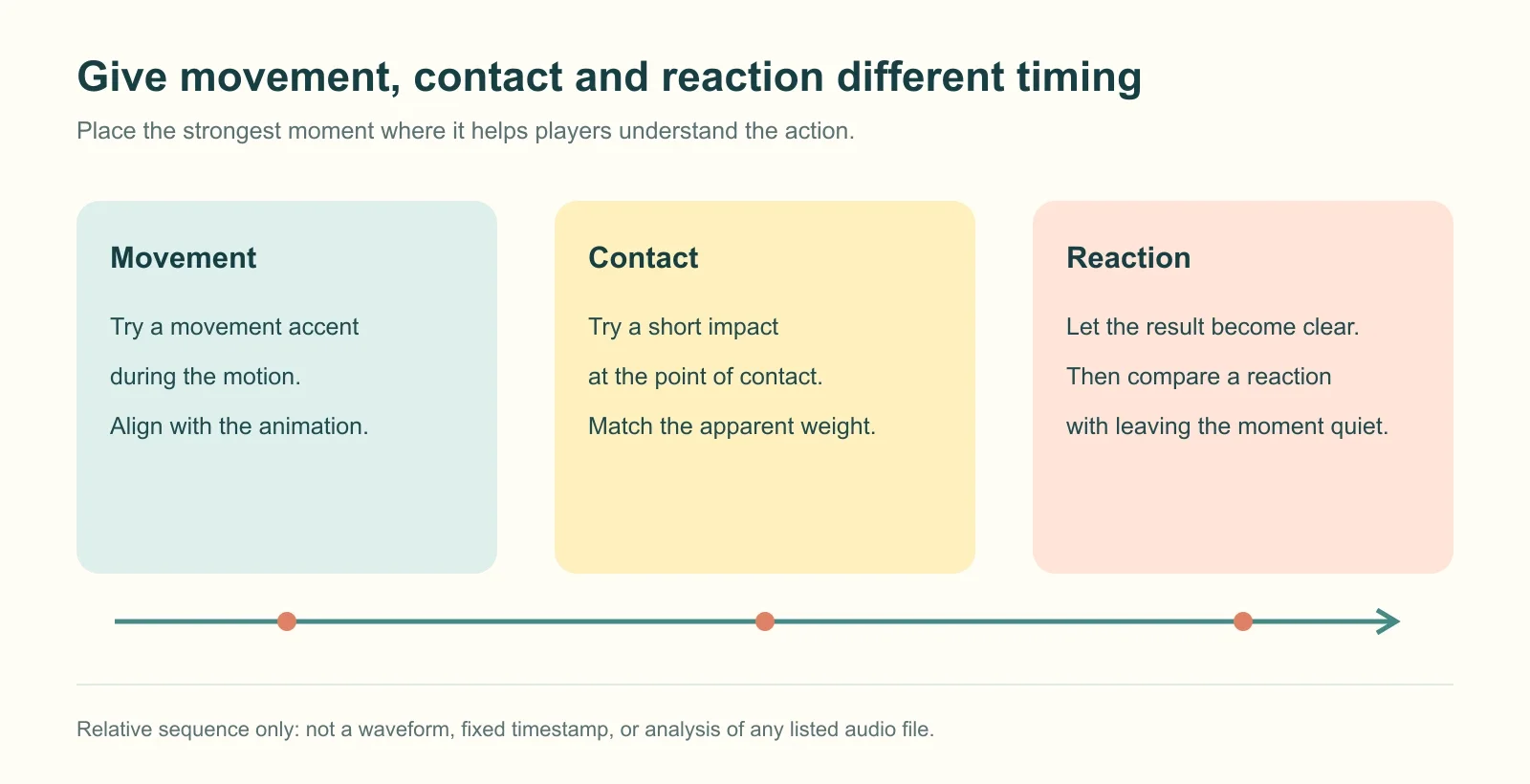
Conceptual timing sequence. The markers do not represent a waveform or measured timestamps from any listed clip.
Match the material and exaggeration
A cardboard box, a cushion, and a metal door suggest different physical responses. The same sound changes the apparent weight of each action.
For a light cartoon scene, try a more elastic treatment. In a scene with mostly realistic movement, decide whether an exaggerated accent creates the contrast you want.
Start with one layer. Add a slide or reaction only if it improves the scene. Stacking a whoosh, impact, scream, and musical ending can make a simple fall difficult to follow.
Four scenes to try in your own Roblox experience
1. A harmless obby mistake
A character jumps toward a platform edge, bumps into a soft obstacle, and lands somewhere safe. Begin with one short accent at the point of contact.
If players pass this obstacle on every retry, keep the ordinary failure brief. Save a longer comic response for a special variation, such as the character sliding before regaining balance. Players can then practice without listening to a full performance after every mistake.
2. An NPC delivers a joke with a straight face
Let the line finish and give the player time to read it. Then compare a short reaction with silence. The NPC’s expression may already provide the response the scene needs.
If another line follows, check whether the sound’s ending overlaps it. A clear joke can become harder to follow when two audio events compete for attention.
3. A huge box contains a tiny item
Break the event into opening, reveal, and reaction. Use an ordinary opening sound if needed, show the unexpectedly small result, and then decide whether an awkward or light reaction improves the moment.
Avoid filling the entire sequence with exaggerated audio before the item appears. Leave a change in rhythm for the reveal itself. The sound should also match the reward actually received; an ordinary prize should not be announced as a rare reward.
4. A dramatic entrance in a social map
A character slides into view, spins, or strikes a pose. Try one movement accent during the entrance, followed by some quiet at the end of the action.
If players can trigger the emote repeatedly, test what happens when they do. In multiplayer scenes, listen for overlap with chat and nearby interactions. Depending on the design, some decorative sounds might be local to the triggering player, while others may need a limit on how frequently they play.
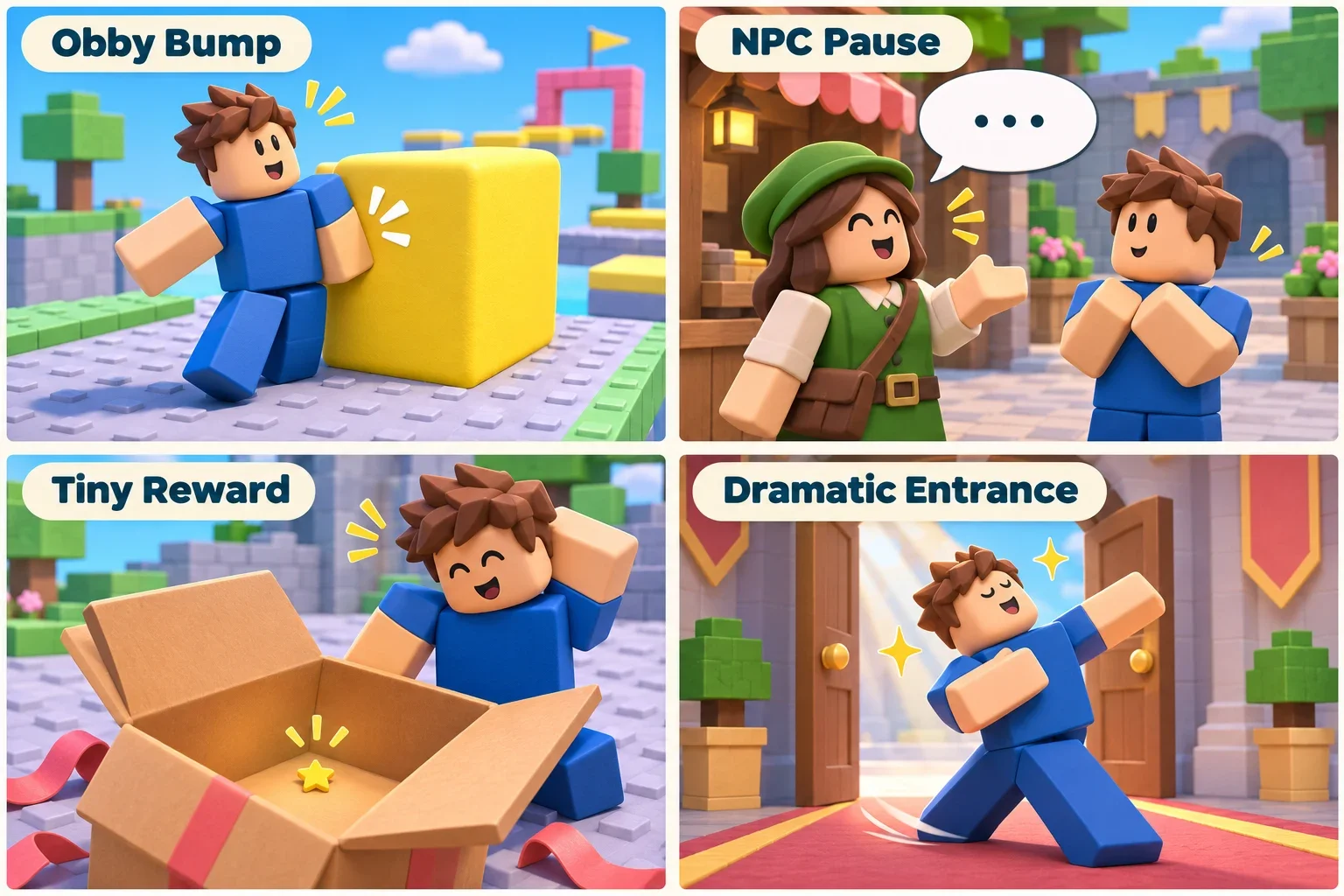
AI-generated scene examples for planning sound placement. These are not gameplay screenshots or demonstrations of the listed IDs.
Familiar meme names still need a full preview
An upload called Bruh, Vine Boom, or Funny does not prove which recording it contains or who has rights to it. Different uploads can use the same title for edited, repeated, or unrelated content.
Listen beyond the recognizable opening. Check for added dialogue, repeated sections, and sudden level changes. A five-second entry might contain several events rather than one continuous reaction.
If you mainly need surprise or an awkward pause, search for that task too. A cartoon accent or musical ending may fit the scene without depending on a particular meme recording.
Find more short sounds on Roblox IDs Hub
Browse Cartoon SFX, or widen the search in the audio library. These terms can help describe what you need:
Desired action or mood | Search terms to try | What to check during preview |
|---|---|---|
A pop, jump, or small appearance | pop, boing | Lead-in and tail length |
A slide, swing, or quick pass | whoosh, swish | Pace and any extra impact |
A cartoon collision or small mistake | cartoon impact, bump | Weight and material |
An awkward or questioning reaction | awkward, question, reaction | Whether it is a single sound, dialogue, or music |
A musical ending after a joke | comedy sting, cartoon sting | Whether it finishes cleanly and leaves room for dialogue |
Add an object or action when a query is too broad, such as cartoon door or short whoosh. Search terms are a way to explore the catalog; inspect the actual results rather than assuming a title establishes suitability.
You can also explore audio in Studio’s Creator Store. The official reference below identifies its keyword search, quick filters, and advanced filter controls.
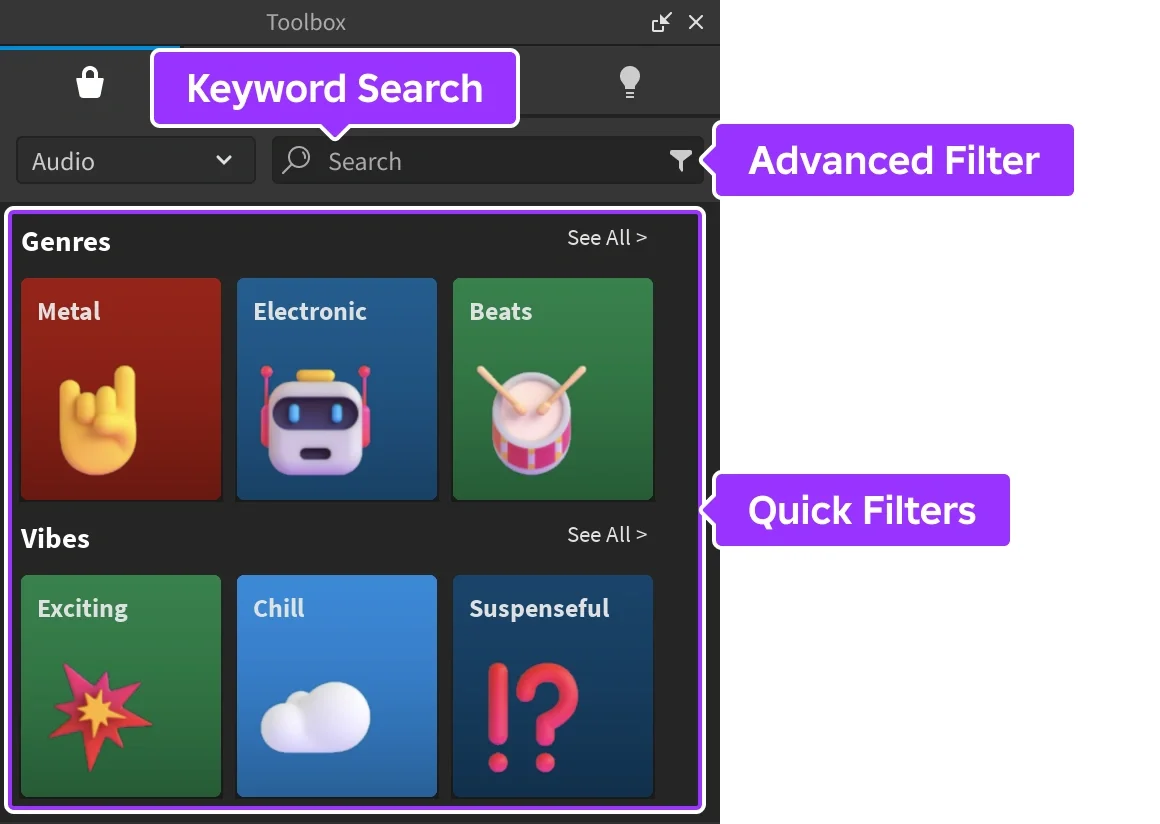
Official Studio reference screenshot from Roblox Creator Hub’s audio asset documentation. This shows Studio’s Creator Store, not Roblox IDs Hub; your installed interface may differ.
Preview and test in one small scene
Hear the whole file, then pair it with the picture
On the first pass, listen for the main event, onset, ending, and any speech. On the second, play it with the animation or dialogue and check whether it emphasizes the right moment.
Keep two or three similar options and compare them in the same scene at roughly comparable perceived volume. A louder clip is not automatically a better match.
Test repetition at real gameplay speed
Trigger the event once, then several times in succession. Listen for overlapping tails, repeated event bindings, and whether the effect becomes tiring during retries.
Give decorative sounds specific conditions, such as an unusual failure or a distinctive character action. Keep them distinguishable from important feedback such as damage warnings or purchase failures.
Finally, restore the rest of the game audio. If the effect disappears under music and other actions, inspect the timing and competing sounds before simply raising its volume.
Confirm playback in the actual experience
Preview the entry, copy its numeric ID, and use the format required by your player or game feature. The target experience must have access to the resource. A website preview and Roblox playback are separate checks.
If you are changing a hit sound or item sound in someone else’s game, confirm that the game offers that feature. A correct ID cannot create a custom-audio option that is not supported.
Keep a small sound palette for each scene
Once you have found several useful effects, assign each one a clear role. A room might have one ordinary interaction sound, one exaggerated action accent, and one special reaction. Write down those roles alongside the resource numbers so later additions do not quietly replace the meaning of an existing cue.
Compare neighboring scenes too. If every doorway, prop, and character introduces a new joke sound, players may hear a stream of unrelated clips rather than a readable sequence of events. Reusing a small palette can give a character or location a recognizable style without requiring the exact same effect on every action.
Keep one alternative for an important effect, especially if the scene depends on its duration. When trying a replacement, repeat the timing test instead of assuming that two resources with similar names have the same onset or ending. The new sound should preserve the scene’s rhythm as well as its general mood.
Frequently asked questions
Can one funny sound represent pickups, failures, and success?
You can try it, but make sure the result remains clear through the other feedback. A single sound cannot distinguish success from failure by itself. Decorative actions allow more freedom; rewards and task results should agree with the on-screen message.
Why does a clip sound funny alone but wrong in the game?
Check its starting point, whether players have understood the visual, and whether dialogue or music covers it. Temporarily remove other sounds for comparison. The pairing may need adjustment before you replace the resource.
Can I speed up a long clip to make a short reaction?
Changing playback speed can affect pitch and timing as well as duration. Compare naturally shorter options first. If you change speed or playback regions, listen to the result and make sure your intended use is permitted.
Why does a website preview work when my Roblox game is silent?
Check experience permissions, current asset availability, the player configuration, and its output route. Website playback does not establish access in every experience.
Are these IDs redeem codes for free items?
No. They identify audio resources. They need a supported game feature or player, and copying a number does not award an item or automatically add audio to a game.
For more short effects, continue browsing Cartoon SFX. For full songs, explore the existing Roblox Music IDs collection.
You can try it, but make sure the result remains clear through the other feedback. A single sound cannot distinguish success from failure by itself. Decorative actions allow more freedom; rewards and task results should agree with the on-screen message.
Check its starting point, whether players have understood the visual, and whether dialogue or music covers it. Temporarily remove other sounds for comparison. The pairing may need adjustment before you replace the resource.
Changing playback speed can affect pitch and timing as well as duration. Compare naturally shorter options first. If you change speed or playback regions, listen to the result and make sure your intended use is permitted.
Check experience permissions, current asset availability, the player configuration, and its output route. Website playback does not establish access in every experience.
No. They identify audio resources. They need a supported game feature or player, and copying a number does not award an item or automatically add audio to a game. For more short effects, continue browsing Cartoon SFX. For full songs, explore the existing Roblox Music IDs collection.